

After successfully running XAMPP on my Mac OS X I have upgraded my system to Yosemite my MySql server stopped starting through my XAMPP manager.
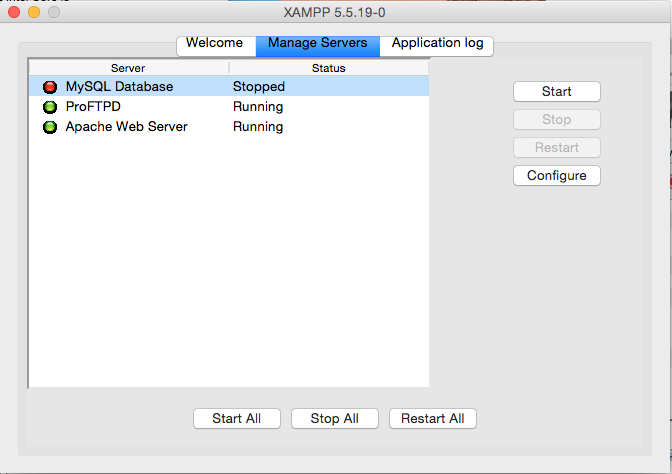
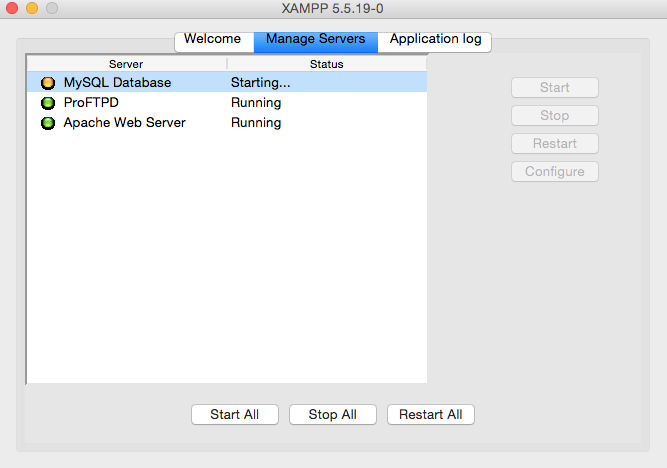
After clicking restart all or just Start for MySql database its just going into ‘starting’ and then goes back to ‘stopped’.
Browsing through the internet I’ve stumbled upon the solution that worked for me.
http://stackoverflow.com/questions/21267064/mysql-database-wont-start-in-xampp-manager-osx
Open the terminal and type as per code below (double check path to your ‘XAMPP/xamppfiles/bin/’ folder:
sudo /Applications/XAMPP/xamppfiles/bin/mysql.server start
Hope that helps!


3 comments
Same problem – am running El capitan — was working fine — but suddenly stopped. On Rebooting, Mysql server will not start — using command via terminal — shows ERROR !
I had the same problem and thank to this solution it works again. Thank you for the help. But now the question: what was the problem that the MySQL database was not running?
Most likely you have turned off your computer when XAMPP was running and one of your databases got corrupted. You can search through the log which should be in: /Applications/XAMPP/xamppfiles/var/mysql/Daniels-iMac.local.err where Daniel-iMac will be your user / computer name. You can delete this file and Daniels-iMac.local.pid and try to start server directly from the XAMPP control panel. Should work 🙂